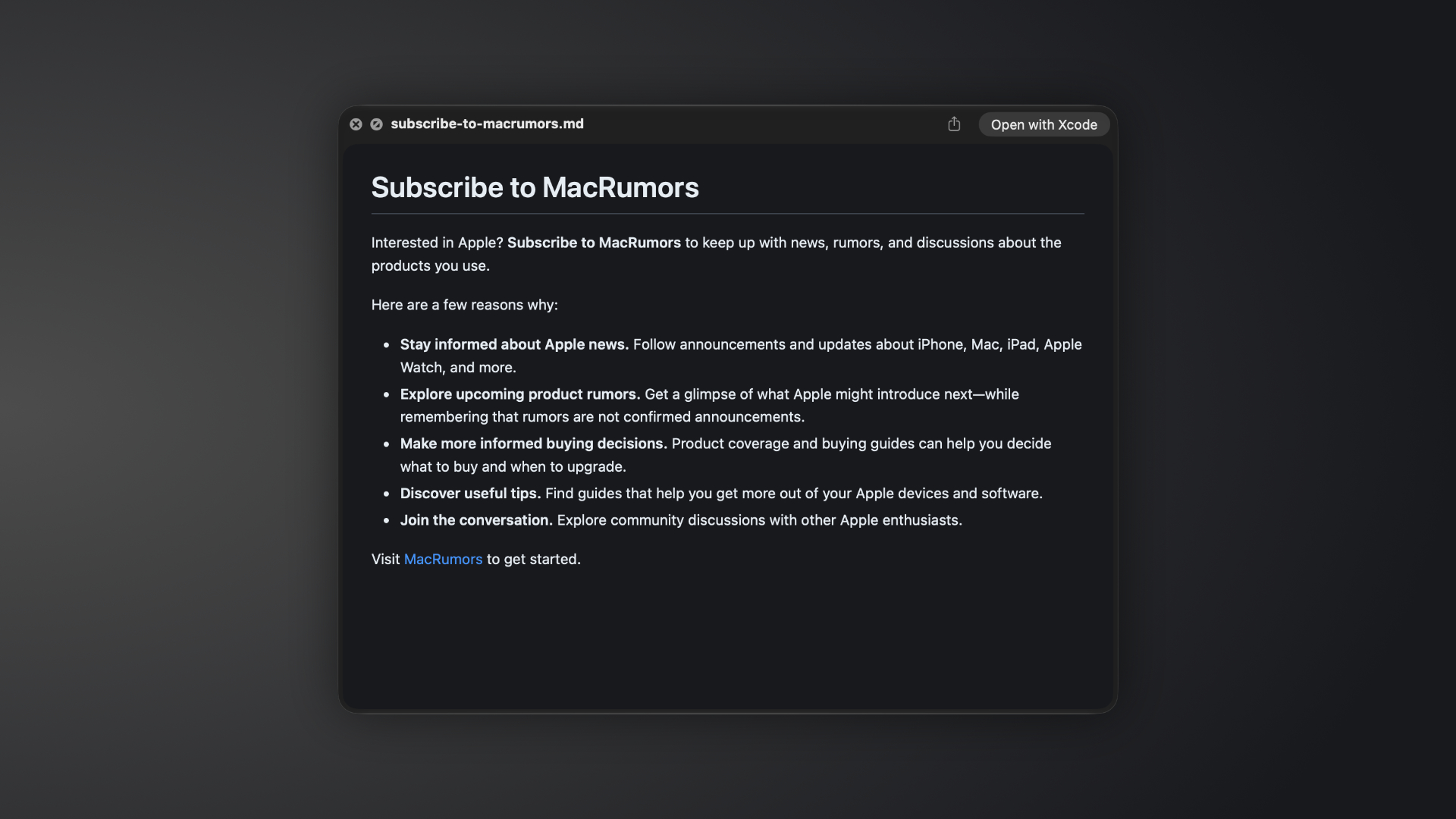
macOS 27.3 adds native Markdown rendering to Quick Look, allowing users to preview .md files with their formatting applied.
In the first beta of macOS 27.3, Quick Look displays styled headings, bold text, lists, and links when previewing Markdown documents. Selecting a file in Finder and pressing the Space bar brings up a readable preview, without requiring a separate editor or Quick Look extension.
The addition builds on Apple’s broader adoption of Markdown. Notes gained Markdown import and export with iOS 26, while iOS 27 introduced Markdown copy and paste, allowing users to paste Markdown as formatted text or copy rich text in Markdown format.
Apple’s new Siri AI app skills also use Markdown. According to Apple’s developer documentation, developers can bundle SKILL.md files with their apps to explain how ?Siri? should handle tasks involving app actions.
Apple released the first macOS 27.3 developer beta yesterday.Related Roundup: macOS Golden GateTag: Siri AIRelated Forum: macOS Golden GateThis article, “macOS 27.3 Makes Markdown Files Easier to Read” first appeared on MacRumors.comDiscuss this article in our forums
Go to Source
Author: Hartley Charlton