Skip to content

Apple Day – Apple, iPod, iPad, iPhone, iTouch, iMac, iBook

Apple Day – Apple, iPod, iPad, iPhone, iTouch, iMac, iBook

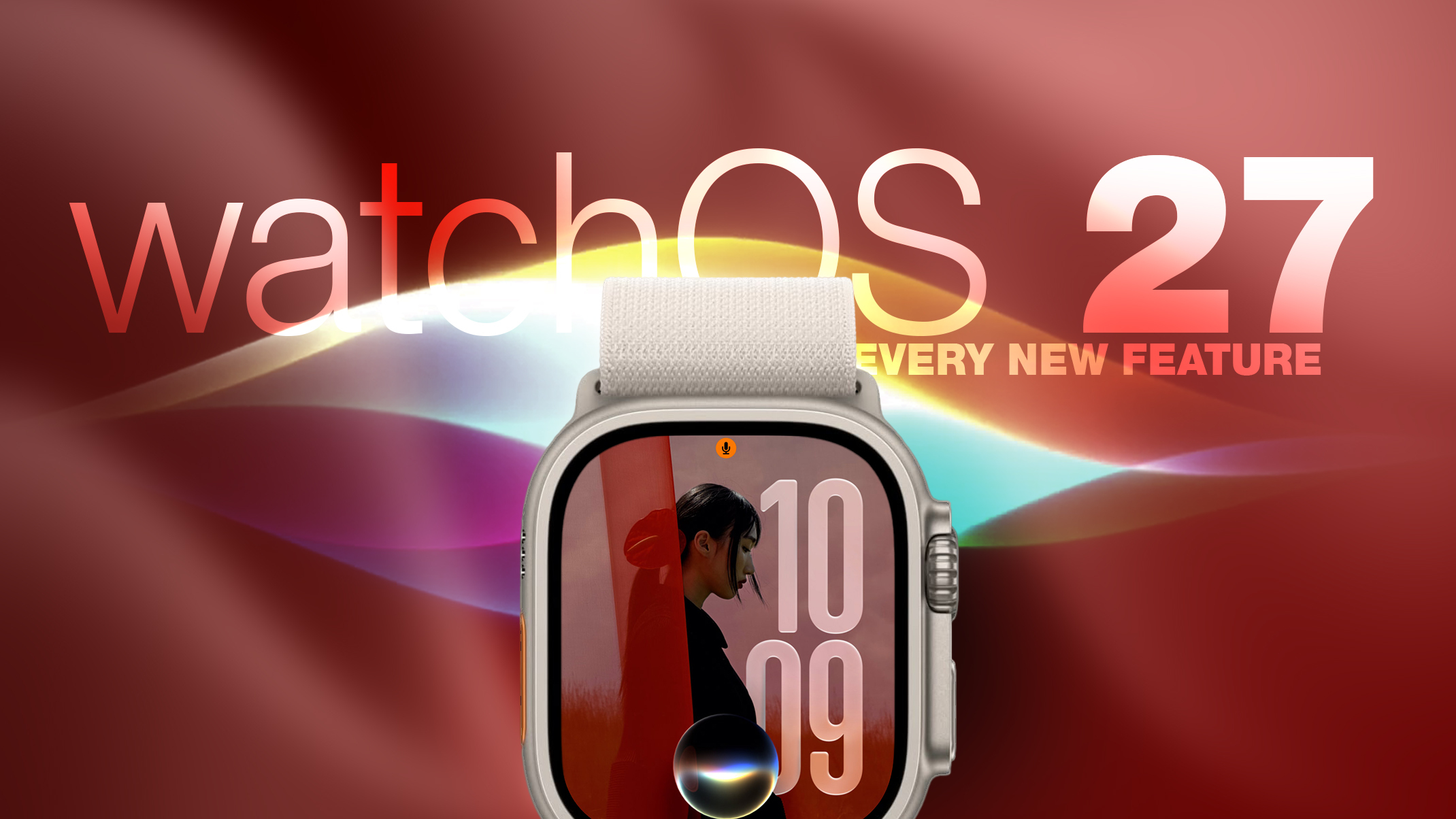
watchOS 27: 12 New Things To Check Out on Your Apple Watch

Posted on September 26, 2026 By admin

Apple released watchOS 27 on September 14. The features and changes aren’t limited to owners of new Apple Watch Series 12 and Apple Watch Ultra 4 models. If you have an Apple Watch model that supports the latest update, here are 12 features and changes to check out after installation.

To do so, open the Watch app on your iPhone, then tap General ? Software Update, strap your watch into a charger, and follow the onscreen prompts.

Check Out the Dedicated Siri App

Siri has finally caught up with the AI revolution, and apart from having contextual awareness, it now has an app of its own that collects every conversation in a single view and syncs them privately across your devices over iCloud. Just ask something on your iPhone and you can pick the thread up again on your Apple Watch, as well as pin conversations worth keeping, or even start a new chat directly from your wrist.

Try Siri Modular Watch Face

The new Siri watch face is a genuinely useful one. Its rectangular complication shows you whatever sits at the top of your Smart Stack, and it automatically updates through the day based on time, location, and other factors.

The Dynamic App Grid

Pressing the Digital Crown no longer produces the honeycomb app view by default. Now, watchOS 27 shows a dynamic grid made up of suggested apps, your most-used apps, and your most recently used ones. The Siri app sits in the middle, but the alphabetical list remains available – simply turn the Digital Crown to navigate through all of your apps.

New Tap Gesture

Apple has added a third gesture to Double Tap and Wrist Flick. The new one is simply called Tap. A single tap of your index finger and thumb opens the highlighted widget in the Smart Stack. You can still navigate the Smart Stack with Double Tap and dismiss notifications with Wrist Flick.

Walkie-Talkie Has Been Deleted

Walkie-Talkie is gone, and not merely hidden. The app is unavailable after updating to watchOS 27 and cannot be reinstalled from the App Store. You can keep the app by staying on watchOS 26, but you won’t be able to start a conversation with a contact who has updated.

Live Rewind (Not Yet)

This is the change most likely to catch people out. In watchOS 26 and earlier, a double press of the Digital Crown opens the App Switcher, where you can jump back to the previous app, scroll through recent ones, and swipe to force-quit anything misbehaving.

That’s changed in watchOS 27, in which a double press shows the new dynamic app grid instead. The gesture has been reserved for Live Rewind, an upcoming feature (exclusive to Apple Watch Series 12 and Ultra 4) that produces a transcript of the last fifteen seconds of speech in your environment.

Fortunately, the App Switcher will still be available when watchOS 27.2 is released later this year, but it will open with a different gesture. If you’re already on the latest beta, simply long press on the bottom of the app that you’re in, and that should open the App Switcher.

Find My is Now One App

Find Devices, Find Items, and Find People have been folded into a single Find My app with a map-centric layout, which also includes shortcuts for directions and for items nearby.

Workout Buddy No Longer Needs Your iPhone

Introduced in watchOS 26, Workout Buddy previously required your iPhone within range. In watchOS 27, your Apple Watch can run it if Wi-Fi or cellular is available. It also draws new insights from your training history, tracking gradual gains in pace, distance and workout duration, and it now speaks Spanish as well as English.

New Cycle Tracking Features

Cycle Tracking in the Health app can now notify you if your logged patterns are suggestive of perimenopause, alongside symptom tracking and educational material. The notifications only draw on your logged cycle history and apply to users aged 40 and over. Apple says the feature is not a method of birth control and is not a diagnosis.

Treadmill Distance Is More Accurate

In watchOS 27, new machine learning motion algorithms measure distance more precisely for indoor runs and walks, and Apple says the improvement starts from the first step, as opposed to settling after a few minutes. Fitness route maps are more accurate too, and step counts finally stay in sync between the Fitness and Health apps.

The Smart Stack Gets More to Say

The Smart Stack’s contextual suggestions are now a lot smarter. A few examples provided by Apple include new widgets surfacing your parked car’s location, a close contact’s birthday, a change in your transit card balance, the Noise app immediately after a loud-noise alert, a reminder that Theater Mode is still on, pinned messages, celebrations, and identity cards.

New Models Get a Steps Counter

On Apple Watch Series 12 and Apple Watch Ultra 4, the redesigned pedometer model and S11 chip allow watchOS 27 to provide more accurate step counts. There’s also a new Steps complication on the latest models to track your steps in real time, right from your watch face. Will we see the feature come to older devices? Your guess is as good as ours.Related Roundups: Apple Watch 12, watchOS 26, watchOS 27Buyer’s Guide: Apple Watch (Buy Now)Related Forum: Apple WatchThis article, “watchOS 27: 12 New Things To Check Out on Your Apple Watch” first appeared on MacRumors.comDiscuss this article in our forums
Go to Source
Author: Tim Hardwick

Apple Day Tags:Apple, iPad, iPhone, mac osx

Post navigation

Previous Post: OpenAI accuses Apple of improperly adding new evidence to trade secrets case
Next Post: Weekend Apple deals: Beats 360, AirPods Pro 3, Mac Studio, MacBook Air, more

Categories

  • Apple
  • Apple Day
  • Apple iPad
  • Apple Software
  • Apple Tablet
  • Appulous
  • iPhone Software
  • Mac Digg
  • MacWorld
  • Uncategorized

Archives

  • September 2026
  • August 2026
  • July 2026
  • June 2026
  • May 2026
  • April 2026
  • March 2026
  • February 2026
  • January 2026
  • December 2025
  • November 2025
  • October 2025
  • September 2025
  • August 2025
  • July 2025
  • June 2025
  • May 2025
  • April 2025
  • March 2025
  • February 2025
  • January 2025
  • December 2024
  • November 2024
  • October 2024
  • September 2024
  • August 2024
  • July 2024
  • June 2024
  • May 2024
  • April 2024
  • March 2024
  • February 2024
  • January 2024
  • December 2023
  • November 2023
  • October 2023
  • September 2023
  • August 2023
  • July 2023
  • June 2023
  • May 2023
  • April 2023
  • March 2023
  • February 2023
  • January 2023
  • December 2022
  • November 2022
  • October 2022
  • September 2022
  • August 2022
  • July 2022
  • June 2022
  • May 2022
  • April 2022
  • March 2022
  • February 2022
  • January 2022
  • December 2021
  • November 2021
  • October 2021
  • September 2021
  • August 2021
  • July 2021
  • June 2021
  • May 2021
  • April 2021
  • March 2021
  • February 2021
  • January 2021
  • December 2020
  • November 2020
  • October 2020
  • September 2020
  • August 2020
  • July 2020
  • June 2020
  • May 2020
  • April 2020
  • March 2020
  • November 2019
  • October 2019
  • September 2019
  • August 2019
  • July 2019
  • June 2019
  • May 2019
  • April 2019
  • March 2019
  • February 2019
  • January 2019
  • December 2018
  • November 2018
  • October 2018
  • September 2018
  • August 2018
  • July 2018
  • June 2018
  • May 2018
  • April 2018
  • March 2018
  • February 2018
  • January 2018
  • December 2017
  • November 2017
  • October 2017
  • September 2017
  • August 2017
  • July 2017
  • June 2017
  • May 2017
  • April 2017
  • March 2017
  • February 2017
  • January 2017
  • December 2016
  • November 2016
  • October 2016
  • September 2016
  • August 2016
  • July 2016
  • June 2016
  • May 2016
  • April 2016
  • March 2016
  • February 2016
  • January 2016
  • December 2015
  • November 2015
  • October 2015
  • September 2015
  • August 2015
  • July 2015
  • June 2015
  • May 2015
  • April 2015
  • March 2015
  • February 2015
  • October 2014
  • September 2014
  • August 2014
  • July 2014
  • June 2014
  • May 2014
  • April 2014
  • March 2014
  • February 2014
  • January 2014
  • December 2013
  • November 2013
  • October 2013
  • September 2013
  • August 2013
  • July 2013
  • June 2013
  • May 2013
  • April 2013
  • March 2013
  • February 2013
  • January 2013
  • December 2012
  • November 2012
  • October 2012
  • September 2012
  • August 2012
  • July 2012
  • June 2012
  • May 2012
  • April 2012
  • March 2012
  • February 2012
  • January 2012
  • December 2011
  • November 2011
  • October 2011
  • September 2011
  • August 2011
  • July 2011
  • June 2011
  • May 2011
  • April 2011
  • March 2011
  • February 2011
  • January 2011
  • December 2010
  • November 2010
  • October 2010
  • September 2010
  • August 2010
  • July 2010
  • June 2010
  • May 2010
  • April 2010
  • March 2010
  • February 2010
  • January 2010
  • December 2009
  • November 2009
  • October 2009
  • September 2009
  • August 2009
  • July 2009
  • June 2009
  • May 2009
  • April 2009
  • March 2009
  • February 2009
  • January 2009
  • December 2008
  • November 2008
  • October 2008
  • September 2008
  • August 2008
  • July 2008
  • June 2008
  • May 2008
  • April 2008
  • March 2008
  • February 2008
  • January 2008
  • December 2007
  • November 2007
  • October 2007
  • September 2007
  • August 2007
  • July 2007

Random Search Terms

  • Mac os 10 5 single layer
  • torrent leopard 10 5 mac
  • burrito root kindle fire
  • ipod 4 gb
  • mac os leopard rapidshare
  • https://appleday org/another-apple-tv-show-has-been-pulled-from-the-release-schedule-at-the-last-minute/
  • mac leopard os download
  • 7970 mac pro
  • mac os x leopard download rapidshare
  • apple leopard 10 5 download

Recent Posts

  • iPhone 18 Pro Max review: The best iPhone for about a month
  • New Vision Pro Headset: Apple Considering Four Different Concepts
  • Sunday Reboot: Big Whoop and more Apple Watch nagging
  • Amazon slashes $900 off Apple’s M5 Max MacBook Pro, lowest price ever
  • Apple Vision Pro’s development graveyard exemplifies Apple’s ‘1,000 no’s to every yes’

RSS feed: Had blog Roni Kordis Had blog Roni Kordis

  • V Tesli sem se prepiral z Grokom in na koncu dobil brezplačno analizo
  • Vstani Primorska. Dovolj je spreminjanja naše zgodovine
  • Vi iz teorije, jaz iz prakse oziroma kako se je Zoran Stevanović zopet osmešil
  • V čigavem imenu Slovenija postaja prijateljica Izraela? V mojem ne!
  • Obnašanje poslanca Aleksandra Reberška je na nivoju otroka / škarje je prinesel v oddajo Tarča
  • Sekcijsko merjenje hitrosti na slovenskih avtocestah še ne deluje

Blogroll

  • Jeep Bosna

Blogs

  • had blog / roni kordiš
  • Naložbeno zlato Ljubljana / cena zlata

Tag Cloud

Air Apple Apple's App Store Business CES Computer Device Digg download From Google Help Home iPad iPhone iPhone 3G iPhones IPod iPod Touch iTunes Leopard Mac MacBook Mac OS mac osx Mac OS X Microsoft Mobile more Music pda rename documents rumor says Steve Jobs Store Technology This Touch Video Watch Windows Wireless WWW

Pages

  • About – Privacy Policy

Copyright © 2026 Apple Day – Apple, iPod, iPad, iPhone, iTouch, iMac, iBook.

Powered by PressBook WordPress theme