Back in January, WayTools, a company known for its high-quality NextEngine 3D laser scanner, surprised the world with a collapsible, magnetic keyboard unlike anything we had seen before. Called the TextBlade, the keyboard garnered a significant amount of attention from the media and from prospective buyers who were intrigued with its unique design.
Commenters here on MacRumors and across the Internet were immediately curious about the TextBlade, and had several questions. How does it work? How easy is it to use? What’s the learning curve? How does it feel?
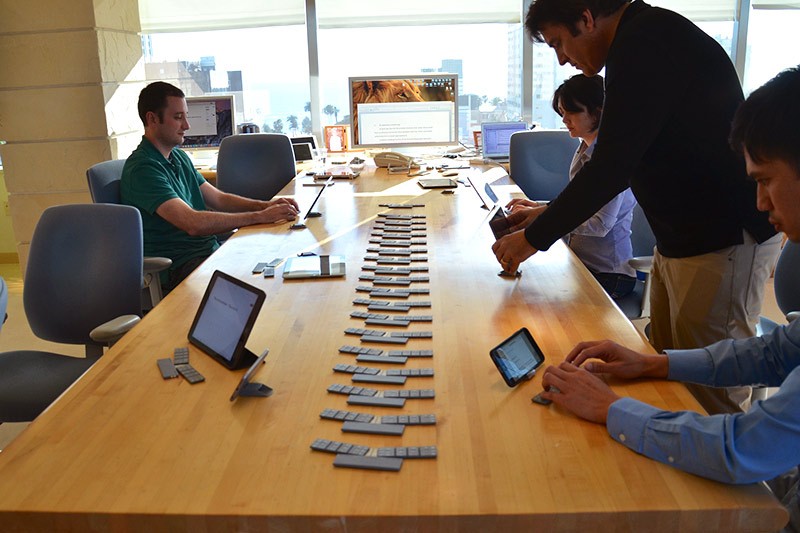
Today we’re going to answer all of those questions and more. Yesterday, WayTools invited MacRumors to visit its headquarters in Santa Monica to get an exclusive hands-on first look at the TextBlade. We met with WayTools CEO Mark Knighton, and a group of engineers who helped develop the product to get details on how it works and to try it out for ourselves.
Design
The first thing that’s important to know about the TextBlade is that its design, which is the culmination of years of work and experimentation, has been engineered to be completely different from any keyboard that’s on the market today.
According to Knighton, the company did not set out to develop a keyboard for the iPhone or the iPad, they set out to develop a keyboard that’s a better experience, overall, than any available keyboard, mobile or desktop.
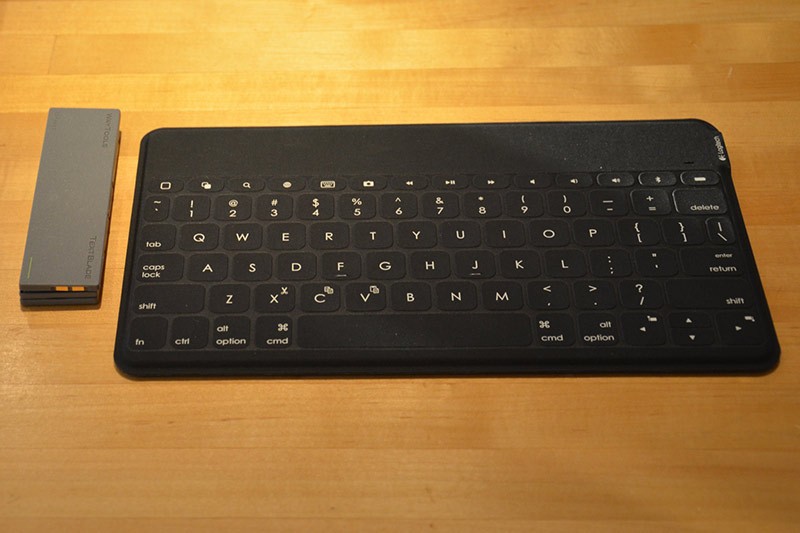
Portability is one of the key qualities that dictated the design of the TextBlade. The team at WayTools firmly believes that an accessory designed for the iPad or the iPhone should be smaller than the device itself. The TextBlade is approximately 1/3 of the size of an iPhone and it weighs an ounce and a half, so it’s barely noticeable in a shirt or pants pocket.
The company adopted an 80/20 philosophy with the TextBlade: 80 percent of the time, most users don’t need a keyboard for their iOS devices, but 20 percent of the time, it can be an invaluable accessory. For typing a quick text message, you can use the built-in keyboard, but it is nice to have something when you need to sit down and reply to 20 emails. For that reason, a keyboard should be hidden away and unobtrusive when it’s not in use, but small enough to always carry and easy to pull out and set up when it’s needed.
Another major factor that influenced the development of the TextBlade is the hands. The WayTools team looked at the way that people use keyboards, how they hold their hands when typing, and deconstructed that to develop the optimal key spacing, keyboard size, letter placement, and more. According to Knighton:
You start with this very humble principle — the hands are the king of this. What is good for your hands, what feels good for your hands, must dictate this design.
Assume you can do magic. What would you most want to do? You would want to have keys that are designed for your fingers.
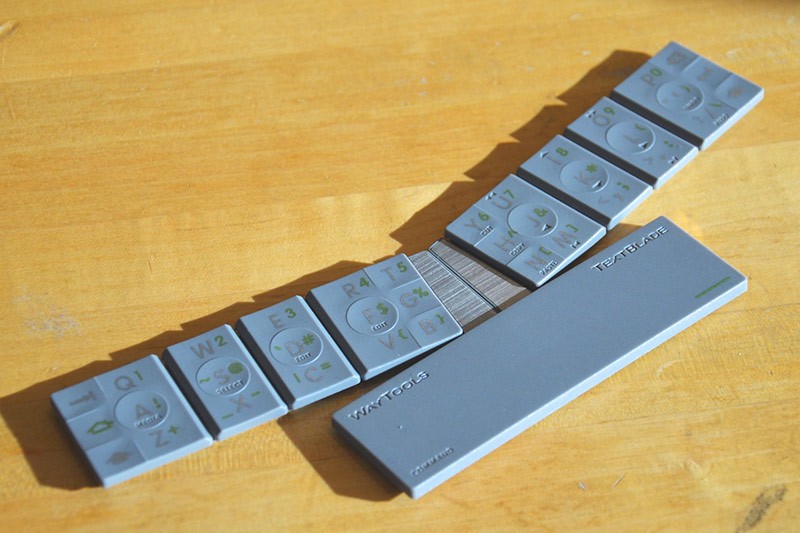
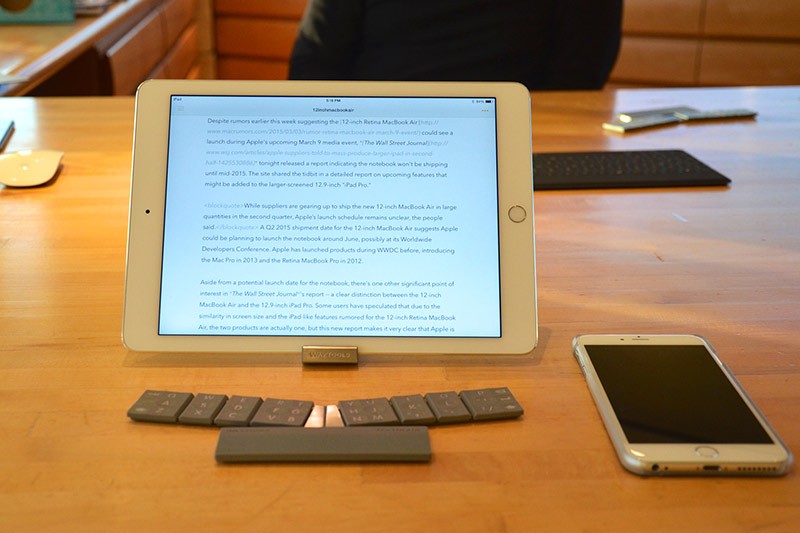
There are four components to the TextBlade — a stand that holds an iPhone or an iPad, two blades that have a total of eight keys combined, and a space bar that houses the device’s battery and 10 LEDs for notifications. Each of the eight keys supports several different features, a function that WayTools refers to as MultiLayering.
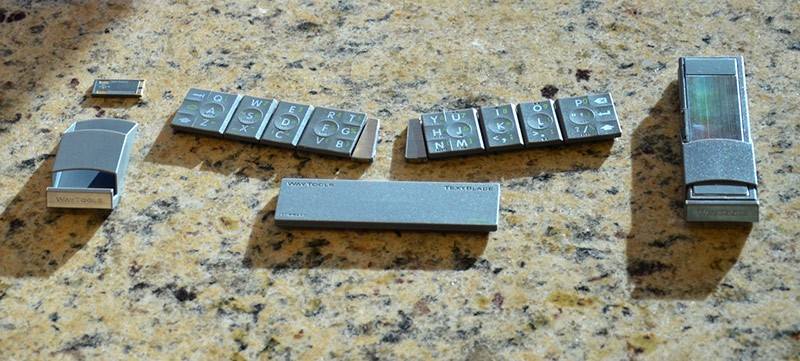
For example, one of the keys houses the W, the S, and the X, but with a combination of button presses, users can also access numbers and symbols, such as “2” and “@”, all from the same key. Combining multiple functions into a single set of keys means a user’s finger has to travel less across the keyboard, translating into faster, more intuitive typing. A combination of magnets, sensing zones, and custom hardware inside each key allows the TextBlade to determine which letter is being pressed.
There are also deeper editing tools and features built into the TextBlade. Holding down on “D” and “F” simultaneously enters an editing mode that lets users move the cursor by word, line, or letter via arrow keys to make edits entirely on the keyboard. Cut and paste tools are built in, as are undo/redo features that make changing and rearranging text a simple process.
Activating the keyboard is done by clicking the two key blades together and then connecting them to the space bar, which turns on Bluetooth. With Bluetooth on, pairing with an iOS device is done like any other accessory, from the Bluetooth settings menu. Once paired, every time the TextBlade is snapped together, it will connect to the computer or iOS device it’s paired with.
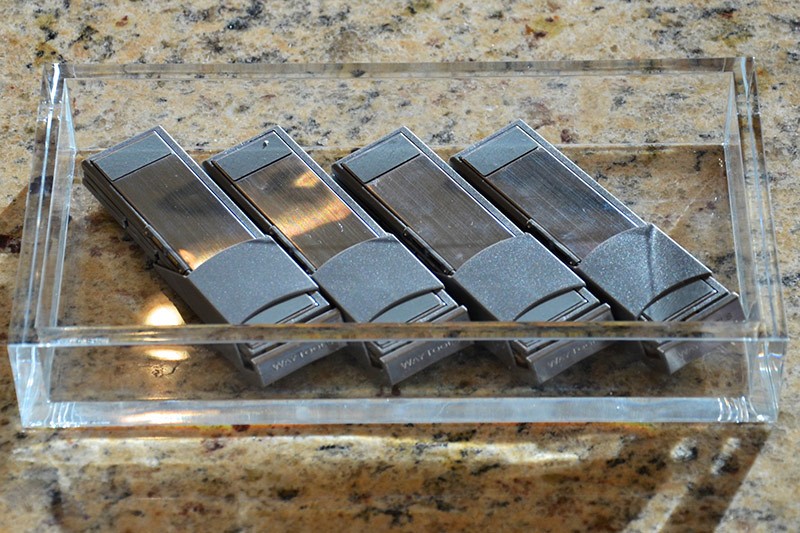
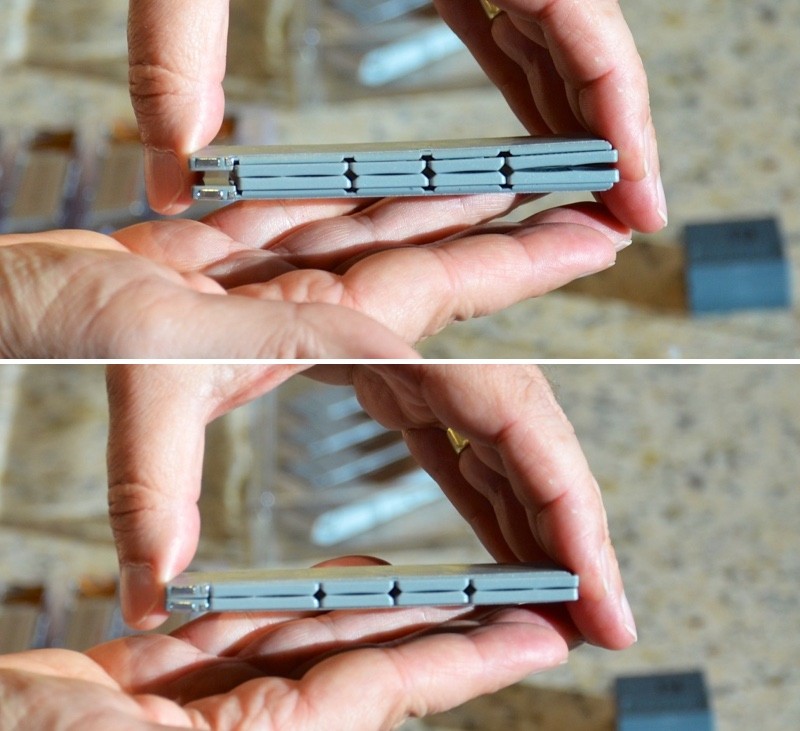
When not in use, the TextBlade folds up onto itself, with each piece snapping together via magnets. The stand slides over the whole package, for a completely portable keyboard that’s similar in size to a couple of packs of gum.
Technology
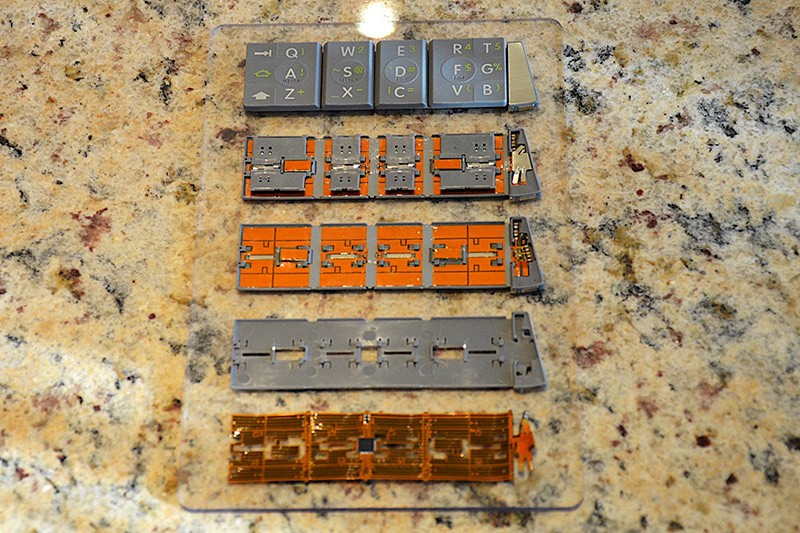
Each component of the TextBlade has a built-in computer chip to power the MultiKey and MultiLayer features. The computer chips are networked and connected by magnets, which is what allows the TextBlade to function without any cords or circuits that bridge the different pieces together.
Rare earth magnets are built into every key of the TextBlade and all of the magnets perform different functions, from allowing the pieces of the TextBlade to snap easily together to charging to facilitating communication between each piece. There are 23 magnets in the space bar alone, for example.
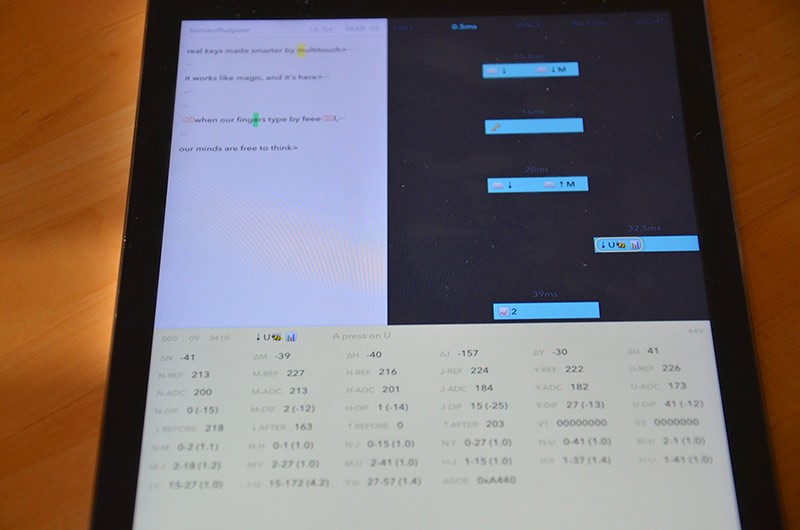
The computer chips power sensing zones behind each key, allowing the TextBlade to accurately determine what letter you’re pressing. A lot of data is collected with each key press — in the screenshot below, an app shows the data that determines the press of the letter, the “U.”
While most keyboards use a scissor mechanism underneath keys to link a keycap to a plunger, WayTools uses a butterfly-like plastic piece that makes each key more stable. Combined with magnets and sensing zones powered by the aforementioned computer chips, the TextBlade is able to determine which letter or symbol is being pressed with extremely high accuracy, which is what allows one key to house multiple letters.
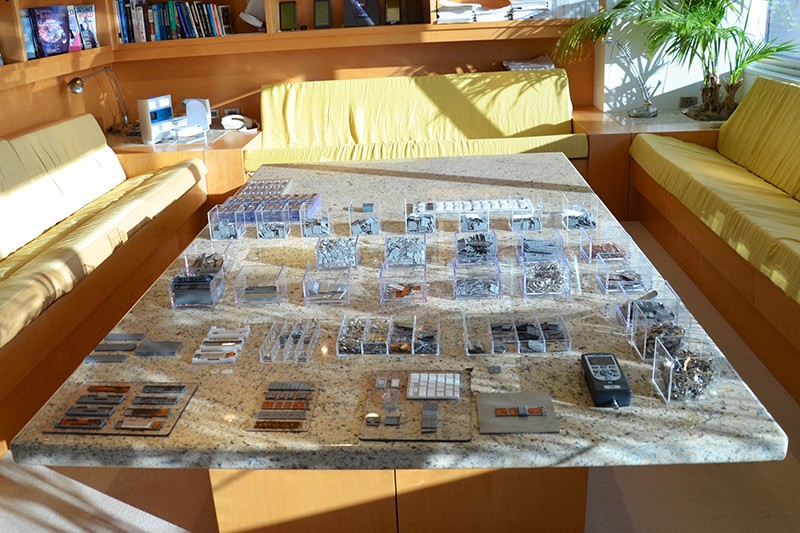
Every component of the TextBlade, from the magnets, to the plastic butterflies, to the molds to form the batteries were developed from scratch by WayTools. There’s no element of the design that uses pre-manufactured parts — it’s a completely custom build that’s allowed the company to file for dozens of new patents while creating the TextBlade.
Two of the blades of the TextBlade house keys, while the third component is the space bar. The space bar is home to a thin, non-replaceable lithium polymer battery and a set of 10 LEDs that are designed to give users immediate feedback on what they’re doing at all times. LEDs let you know how much charge is left on the TextBlade and they let you know what mode you’re in or what you’re going to get next when you type. Two LEDs, for example, denotes “edit” mode, where the cursor can be moved around on the screen, and one lets you know shift is on.
Hands-On With the TextBlade
So, the answer to the biggest question people have on the TextBlade: Am I going to have to learn to use a keyboard all over again?
The quick answer is no, but the longer answer is that there’s a definite acclimatization period. The TextBlade is a QWERTY keyboard, so the design is immediately familiar, and the horizontal spacing is equal to or better than a full-sized keyboard at 19 to 20mm, but vertical spacing has been cut down to reduce the distance you need to reach to hit each key, so it’s a different feel when typing.
It also takes time to get used to the layered keys. We’re used to raising our fingers up to hit numbers and symbols, and the motion to insert a number or a symbol is very different on the TextBlade, with a lot less finger movement. Some of the keys have been moved to provide a better typing experience, which also takes some getting used to. For example, the apostrophe has been moved closer because it’s a key people use a lot.
There’s very little to learn because the general location of the keys is familiar, and there’s no training to go through, but you have to get used to a different feel and you have to adjust your muscle memory. As described by WayTools engineer Pete DeLaurentis, the amount of time it takes people to get used to the TextBlade will vary depending on how they type.
It depends a lot on whether they float or use home row. What you’ll find with a lot of programmers, for example, is they’ll float with their right hand because if you’re a programmer, you have a lot of symbols you need to get to. You can’t get them all with your pinky, so most programmers float with their right hand.
I had this thing where the left hand I got right away but the right hand took me a while because I usually kept my right hand hovering above the keyboard. You have to have a much better sense of the map in your head when you float. For people who just traditionally touch type from home row, it’s very fast.
During the time that we had with the TextBlade, we were not able to pick it up and type at full speed because of the need to get used to the movements, but over the course of a half an hour of typing, our speed and familiarity with the keyboard did noticeably improve. In our estimation, a day or two of regular typing with the TextBlade would give users enough familiarity with the design to type at a reasonable speed.
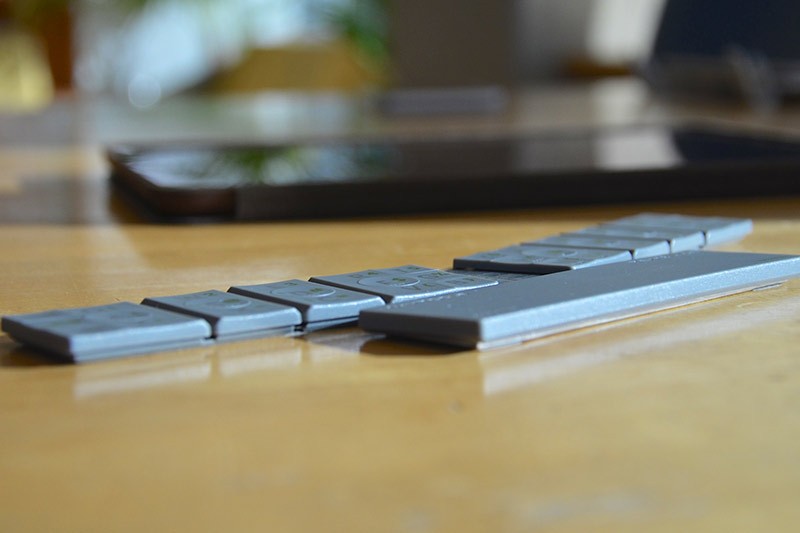
According to Knighton, there are two milestones with the TextBlade — typing faster than you can type on an iOS device and typing faster than you can on a traditional keyboard. Most people, he says, can reach that first milestone in days.
Watching the employees at WayTools type on the TextBlade was fascinating, because it gave a look at what’s possible when one becomes familiar with the layout of the keys. Their fingers hardly moved on the keyboard — there was no reaching or flailing about to hit symbols or numbers. There was very little hand movement, but we watched them type as quickly as they could on a regular keyboard.
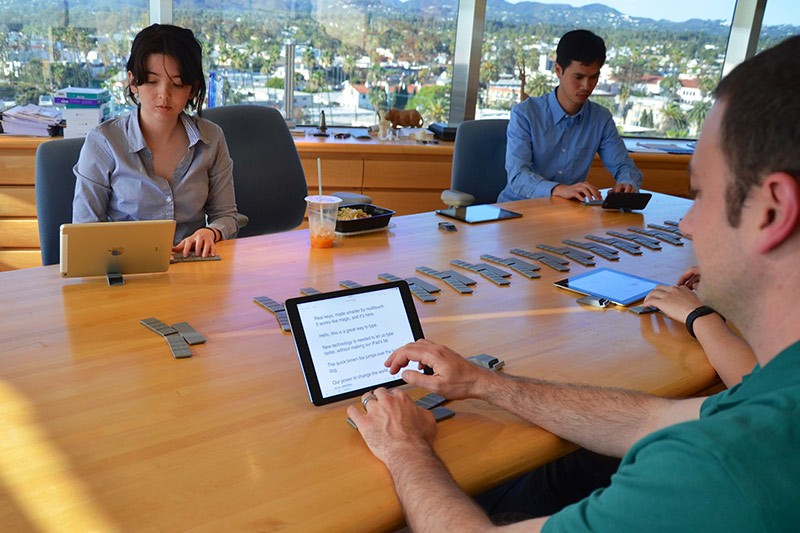
Though there are only eight keys on the TextBlade keyboard, it’s easy to distinguish between each letter because of the generous spacing (which matches a desktop keyboard) and the TextBlade did not have trouble determining which letter or symbol we were typing. The spacing was suitable for all hand sizes — we didn’t have an issue reaching any of the keys, and WayTools tested with a variety of hand sizes from large to small.

As for key feel, this is an area where the TextBlade excels. Keys felt solid and had a good amount of give when pressed. There’s a solid “thunk” when pressing down on a key that’s very satisfying thanks to a 2.0mm stroke, and the feel is similar to high-end mechanical desktop keyboards. Most keyboards have an actuation force of 55 grams to register a key press, as does the TextBlade. With the space bar, people prefer slightly less force, so it has an actuation force of 45 grams. The amount of force that is required to press a key can be updated at any time by TextBlade, to meet customer demand.
One of the neatest things about the TextBlade is that because you don’t need to move your fingers across the keyboard as much, a person can potentially type even faster than they’re able to with a standard keyboard. A second benefit is that it feels more comfortable on the wrists because there’s no angling upwards to reach keys.
Some people have wondered about the angled design of the TextBlade when it snaps together. According to WayTools, this was done for ergonomic reasons. It’s designed to match the rest position that people use when resting their arms on a table. When placing our arms on a table, most of us angle our elbows outwards rather than holding our arms straight. In this angled position, the TextBlade was very comfortable to type on.
Most keyboards use weight to provide a solid, unmovable typing experience, but the bottom of the TextBlade is coated in an elastomer that gives it a solid grip on a desk or surface despite its light weight. It did not shift or move around on the table when typing, and the bottom of the stand is coated in the same material to ensure that an iOS device stays in place.
One of the things we were impressed by was the TextBlade’s light weight compared to its durability and build quality. The keyboard weighs just over an ounce and folds down to fit into a pocket, but the build quality was solid and it felt like a keyboard that should be priced much higher than $99. Because it’s so light, it’s also durable — there’s nothing that’s going to break when it’s dropped on the floor.
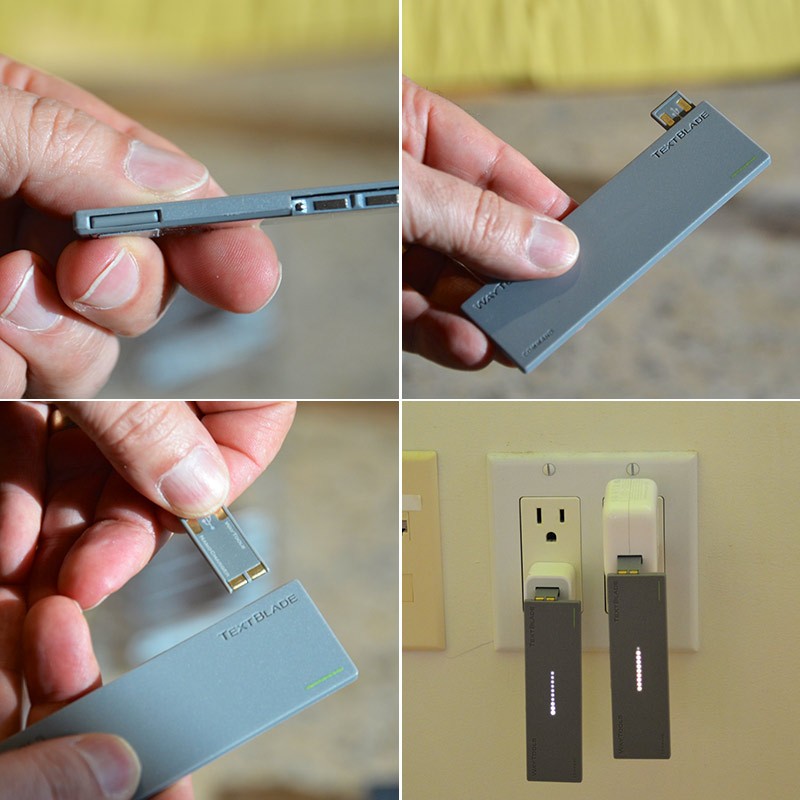
Another neat TextBlade feature we want to highlight is the way that it charges. If you tap the spacebar against your wrist, a little card (much like a SIM card) pops out, which plugs directly into a USB port or USB charger. There’s no micro-USB cord or cable to forget — everything you need is built in. The aforementioned LEDs let you know when you need to charge, and the battery lasts for a month without needing to be charged.
Customization Options
WayTools is planning to release an app, MultiMap, that will allow customers to customize the TextBlade. Users will be able to remap keys, create macros for frequently used expressions or logins, change the language, and more.
With the TextBlade, WayTools can deliver over-the-air updates to keep firmware up to date, something that’s not possible with most keyboards. The TextBlade will have more functions six months after it’s released than it does today. For example, one upcoming update will add multi-device support, and that update is coming a few weeks after launch.
Bottom Line
You’re probably not going to be able to pick up the TextBlade keyboard and type 100 words per minute during your first 10 minutes with it. It will take some time to get used to, and that amount of time will vary by person and by how often the TextBlade is used.
For people who are looking for an all together new typing experience that has the potential to be superior to even a desktop typing experience, spending the amount of time that needs to be invested to learn to type on the TextBlade will be a worthwhile endeavor.
An impressive amount of engineering and research went into the development of the TextBlade, and it’s going to be the smallest, lightest, most portable iOS keyboard available on the market, so people who are looking for the ultimate in portability will also want to take a serious look at the TextBlade.
Price wise, the TextBlade’s price point is comparable to or cheaper than some of the premium keyboard options on the market, so if you’re in need of a portable option and you’re willing to to put in a bit of time to overcome existing muscle memory, the TextBlade is a worthwhile purchase.
Compatibility
The TextBlade works with any device that supports Bluetooth 4.0, from mobile devices to computers. The device’s stand is compatible with the iPhone 5, iPhone 5s, iPhone 6, iPhone 6 Plus, iPad mini, iPad Air, and iPad Air 2. The company is developing an XL stand for heavier devices like the older iPads, but the stand is not a necessary component of the TextBlade — users can just as easily use an existing stand or cover to prop up an iPad or iPhone.
Release Date
The TextBlade is in production and many of the components are ready to go. The company has made some last minute changes to tweak the butterflies underneath each key to provide an even better, more precise key feel, and once that component upgrade is ready, the TextBlade will ship out to those who have pre-ordered.
WayTools is hosting meet ups next week to give some of its customers who pre-ordered a chance to give the TextBlade a try for themselves before the device ships, so additional opinions and reviews on the device should be available at that time.
WayTools wants to make sure that early adopters of its technology have the absolute best experience with the product. For that reason, if the company makes any changes to the design of the TextBlade in the first year, it will ship out a new version of the device to all previous buyers. Early adopters are also receiving the company’s MultiMap customization software for free — later buyers will need to purchase that separately.
How to Buy
The TextBlade can be pre-ordered from the WayTools website for $99.
Recent Mac and iOS Blog Stories
• 'Reserve Strap' Plans to Charge the Apple Watch on the Wrist
• MacRumors Giveaway: Win a Pad & Quill Messenger Bag
• Questionable Rumor Claims iPad Mini 4 With A8 Processor and 802.11ac Wi-Fi May Launch Soon
• Upcoming Revamped Apple Music Streaming Service Won't Offer Free Ad-Supported Tier
• Apple and Other Companies Push Forward in Fight for Marriage Equality
• Gmail for iOS Updated With Quick Actions, Share Sheet and Attachment Viewer
• Apple Rumored to Offer Personal Engravings on Apple Watch
• Apple Patents Waterproofing Method 'For Shielding Electronic Components from Moisture'