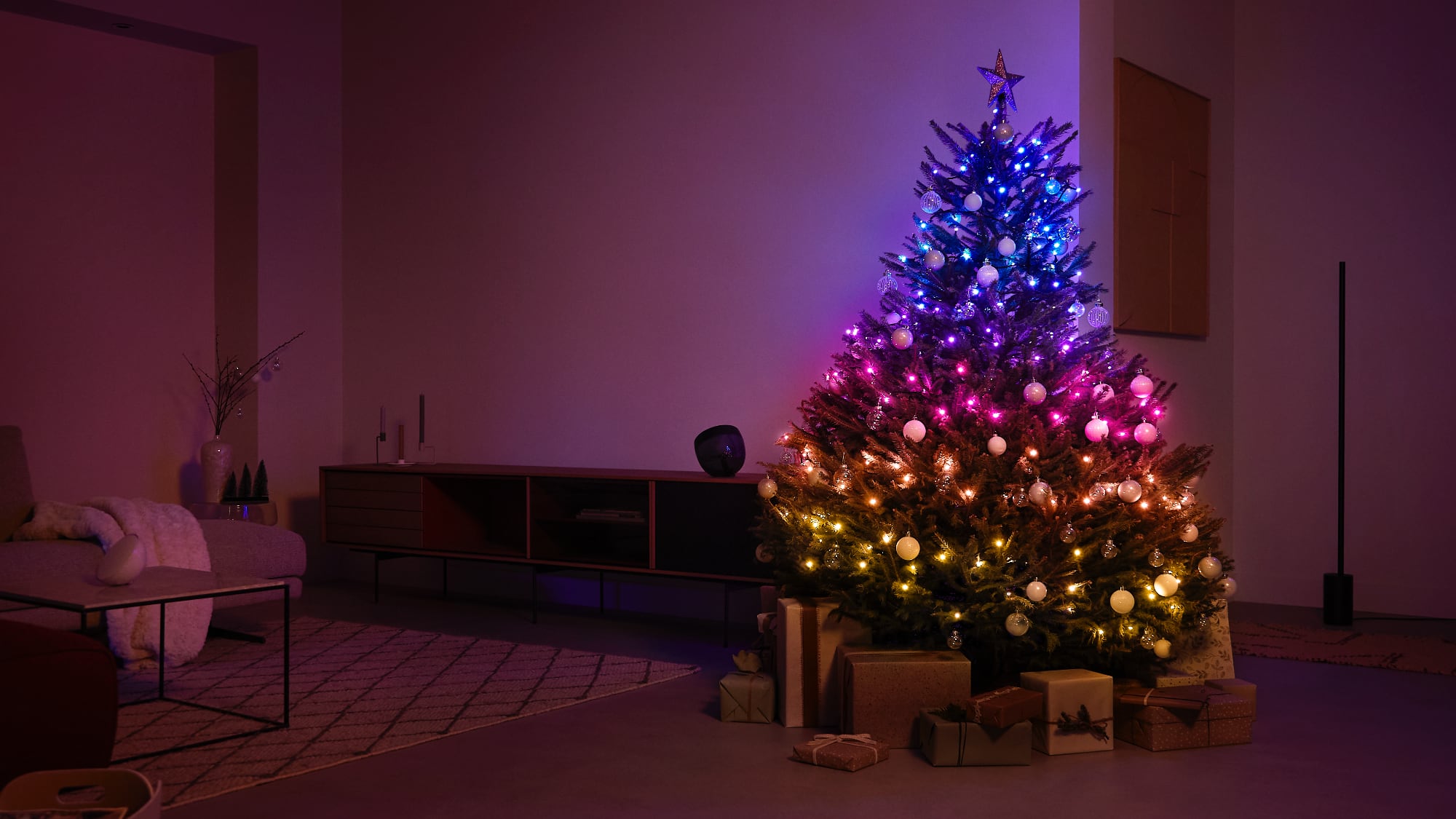
This year, the Philips Hue line added string lights for the first time, marking the debut of the only string light product able to integrate with the Philips Hue ecosystem. The Festavia string lights are priced at $160 and can be used for Christmas trees, holiday decorations, or year-round accent lighting.
There is a single Festavia product at the current time, and the Festavia includes 250 smart mini LEDs on a 65-foot cord, which is a standard length for a string light. The cord is black and the LEDs are rounded with a flat top, which produces a soft look.
During the day, the black cord tends to stand out a bit more against my tree than a green cord, and it mostly rules out the Festavia for lighter colored trees such as those that are white. In the future, I am hoping that the Hue line will offer other Festavia options with colored cords suitable for a wider range of trees.
I have a tree that is seven feet tall, and the Festavia was just about enough lights for it, though I could probably have done with two strings because I like a lot of lights. Alternatively, if a tree is up against a wall, the lights would look fuller placed just on the front rather than wrapped at the back.
The Festavia lights are HomeKit-enabled and can be controlled through the Home app and with Siri voice commands, but these are Hue lights so a Hue Bridge is required, as is the Hue app. The Hue app is used to change the colors on the lights, and it’s worth noting that these are gradient lights.
You can select three gradient colors in gradient mode and mirrored mode, or up to five colors in scattered mode, so each light can be set to a different color. That said, there isn’t as much control as you get with something like the Twinkly, but you can sync the lights to music if desired.
The Twinkly lights, which are priced at around $105 for 250 on Amazon, are the obvious comparison to the Festavia lights. Twinkly lights are also HomeKit-enabled, so I do want to point out a few things for those trying to decide between Twinkly and the Hue Festavia lights.
First of all, the Twinkly lights are a lot brighter. The Philips Hue lights are more subtle and less bright at 100 percent brightness, which, in my opinion, is a good thing. The Twinkly lights are too bright by default, so I dim them way down. If you like bright, know that Twinkly lights are brighter.
Hue seems to be a bit more color accurate, and the colors are richer in tone, plus there seems to be more of an available color range in terms of color accuracy. I can change the color of every Twinkly light individually (though it’s not the quickest or simplest thing to do in the app), but I can’t do that with the Festavia. The Festavia supports different color gradients and a mix of up to five selected colors that are assigned to the lights.
I don’t mind not being able to control each of the LEDs separately, but I think the Festavia lights are less fun than the Twinkly lights. There are a ton of effects that are possible with the Twinkly, and you can select different patterns, colors, and even draw words and pictures, while the Festavia is more limited.
That said, the Hue lights have a more subtle, classy look. Hue’s gradients are not replicable with Twinkly lights, and Hue also has several nice animations that can’t be matched by Twinkly. There is a “Sparkle” animation that’s simple white lights in different shades shifting slowly so that it looks like twinkling lights, plus there’s a fireplace animation that has a soft orange glow. There are also different color shifting animations available through the Hue Labs feature in the app, though it’s not exactly intuitive to get to and use.
Twinkly light animations are all rapid even on the slowest setting, and I prefer the more sophisticated Hue patterns. I do wish that there were more animations available through the Hue app, as it’s limited to three. I’m hoping that more will be added in the future.
There are limited colorful animations, and the color light settings are primarily limited to static designs in gradients or scattered patterns outside of Hue Labs functionality. The Hue lights are able to integrate with other Hue lights, so if you have Hue bulbs, Hue light strips, or other Hue products, you can create light scenes that integrate all of your lights, including the Festavia.
The Hue app is simple to use for the most part, but it takes some getting used to. You can swap between color options and white tones, or select the effects tab to activate an animation. Light colors can be changed by dragging the icons on the color wheel with a finger, and this is an interface where you can control all of your Hue lights together, grouping them up or selecting individual colors for each one.
There are also simple controls for adjusting brightness, and more limited options in the Home app. You can set single colors for all the lights in the Home app and change the brightness, and ?Siri? can be used for this as well. The Hue app is needed for the effects and the multi-color options.
Since these are HomeKit integrated lights, you can set timers for when they run and use automations to activate them when home, when leaving, or in response to other ?HomeKit? devices such as motion sensors.
Because of the way that the Festavia lights integrate with other Hue lights, I would recommend them as a first choice to anyone with a Philips Hue setup. The Festavia string lights are gorgeous, the app is simple to use, the effects are subtle, and the ability to use the lights alongside other Hue products for lighting scenes makes the cost more worthwhile.
Bottom Line
The Festavia string lights are ideal for those who already have Philips Hue lights or those who want a soft, classy look for a Christmas tree or for holiday decoration. They aren’t as interactive as the Twinkly lights, and so might not be ideal for families with kids who might like to play with the color changing Twinkly features, but they are perfect for those who want a less hands-on lighting experience that is more subdued.
How to Buy
The Festavia lights are purchasable from the Hue website, but are unfortunately out of stock at this time. A Philips Hue spokesperson said that there has been strong enthusiasm for the Festavia, and the company is working to make additional inventory available for purchase as soon as possible. This article, “Review: The Philips Hue Festavia Lights Are Expensive, But Perfect for Christmas Trees and Holiday Decorating” first appeared on MacRumors.comDiscuss this article in our forums
Go to Source
Author: Juli Clover